(954) 862 3937
NetSuite customization tailors Oracle NetSuite ERP to specific business requirements using custom fields, forms, workflows, dashboards, reports, integrations, and SuiteScript development. It helps businesses automate processes, improve data visibility, and extend standard ERP functionality.
NetSuite Customization Guide: Tools, Costs, And Best Practices
Atit Shah - Director of Operations | November 17, 2026
Key Takeaways:
- Customize with purpose: Choose SuiteBuilder, SuiteFlow, SuiteScript, or integrations based on your business requirements, complexity, and scalability needs.
- Plan beyond upfront costs: Consider development, testing, maintenance, and future upgrades to understand the long-term value of NetSuite customization.
- Choose the right NetSuite customization service partner: Prioritize proven expertise, integration capabilities, structured testing, and ongoing support to build customizations that can evolve with your business.
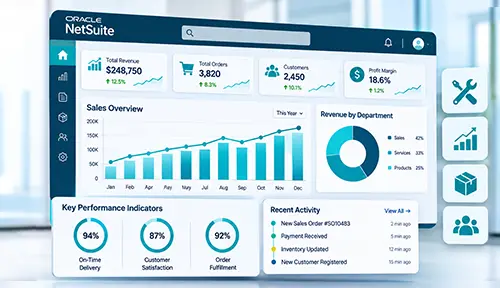
NetSuite provides a flexible Enterprise Resource Planning (ERP) foundation, but every organization has different workflows, reporting requirements, integrations, and operational priorities. Customizing NetSuite might entail changing fields, forms, dashboards, and processes, writing bespoke scripts, or integrating NetSuite with outside apps. When properly planned, these changes can help organizations automate processes, improve data visibility, reduce manual work, and create an ERP environment that evolves alongside the business.
As businesses grow, the basic capabilities of your ERP solution can start to fall short of your needs. Teams might require industry-specific workflows, connections to other business-critical platforms, custom reporting, automated calculations, and/or specialized approval processes. That's where a strategic customization approach comes in handy. Rather than making individual adjustments, organizations can determine which requirements can be addressed through native NetSuite capabilities, custom development, or integrations. This NetSuite customization guide examines the tools and types of customizations, costs, implementation processes, best practices, and considerations for choosing a software solution provider that will allow businesses to make informed decisions while keeping their NetSuite environment scalable and manageable.
What Is NetSuite Customization?
While NetSuite is a flexible platform, each business may have its own unique processes for approving, reporting, inventory, billing, and customer data. By customizing NetSuite, companies can adjust the platform to those processes rather than altering their workflows to accommodate a one-size-fits-all ERP solution.
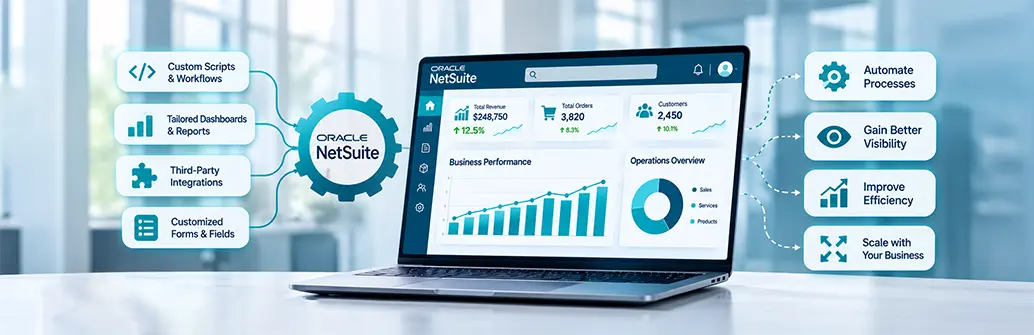
These changes can be simple, such as adding custom fields, forms, dashboards, or reports. More complex NetSuite customizations may involve automating approval workflows with SuiteFlow, developing business logic with SuiteScript, or integrating NetSuite with CRM, e-commerce, payment processing, warehouse, and other systems.
The intent is very pragmatic: make NetSuite more useful and easier to use for teams, while considering future growth, maintenance, and platform upgrades.
Types of NetSuite Customizations
Not every requirement needs custom code. NetSuite provides configuration, workflow, scripting, and integration capabilities that address different business needs.
| Customization Type | Typical Use-Case | Ease of Implementation | Impact on Upgrades |
|---|---|---|---|
| Custom Fields & Forms | Capture specialized data or modify user-facing forms | High | Low |
| SuiteFlow | Approvals, notifications, routing, and workflow automation | Medium-High | Low |
| SuiteScript | Complex logic, calculations, automation, and custom functionality | Medium | Medium |
| Integration / SuiteTalk | Connect CRM, e-commerce, logistics, payment, or other systems | Medium | Medium |
For more advanced requirements, NetSuite custom development can combine multiple tools to create functionality tailored to specific workflows.
Configure, Customize, or Integrate? A Decision Framework
Not all NetSuite needs require custom development. The necessary functionality may already exist but simply needs to be configured. Other times, a workflow must be constructed around your team's process, or NetSuite must exchange information with a different business system.
A useful way to make that decision is:
- Configure: When existing NetSuite settings, roles, forms, dashboards, permissions, or saved searches can handle the requirement.
- Customize: When the business needs specific workflows, automation, calculations, or functionality that standard features cannot provide.
- Integrate: When NetSuite needs to work with CRMs, e-commerce, payment, warehouse, HR, or other platforms.
Begin with the simplest method that works to solve the problem. Careful NetSuite customization should enhance the performance of the system without creating excess code or making for more difficult future maintenance.
Benefits of NetSuite Customization
Effective NetSuite customization services can align ERP functionality with an organization's processes instead of relying on manual workarounds.
Key benefits can include:
- Automate workflows: Minimize repetitive data entry and manual approvals.
- Better productivity: Provide employees with interfaces and functions that are relevant to their job.
- Improved visibility of data: Generate meaningful dashboards, reports, and saved searches.
- Consistent business rules: Apply standardized validations across workflows.
- Connect to other systems: Sync data between NetSuite and external systems.
- Extensibility: Allow functions to be expanded as the number of transactions, locations, products, or business models change.
The objective is not to customize everything. High-value customization focuses on operational gaps where standard NetSuite functionality does not adequately support the business.
Common NetSuite Customization Use Cases by Industry
Customization requirements often vary according to an organization's industry and operating model.
- Retail and e-commerce: Inventory tracking, order management, fulfillment workflows, and Commerce Integrations.
- Manufacturing: Production processes, Stock Control, Procurement Automation, and custom reporting.
- Healthcare: Workflow, billing, integration, and data management needs.
- Financial services: Approval workflows, reconciliation, reporting, and integration with the financial system.
- Project management: Tracking projects, resource workflows, billing automation, and utilization reporting.
- Wholesale and distribution: Warehouse processes, order routing, inventory visibility, and shipping integrations.
A qualified NetSuite customization agency can translate these industry requirements into workflows and functionality while accounting for security, performance, and maintainability.
NetSuite Customization Cost and Timeline
There is no standard price or timeline for NetSuite customization because the amount of work depends heavily on what needs to change. Adding a custom field, modifying a form, or setting up a simple approval process may require relatively little effort. A project will need more planning, development, and testing if it is custom SuiteScript code, multiple integrations, data migration, or complex business processes.
Once a review of the existing NetSuite environment and business requirements is completed, the scope becomes more apparent. Complexity of integration, volume of data to be integrated, reporting requirements, user roles, security considerations, and testing requirements may all have an impact on effort.
For that reason, a realistic estimate usually comes after an initial discovery phase. This gives the development team a chance to understand dependencies, identify potential technical challenges, and define the work before setting project milestones, timelines, and costs.
Step-by-Step NetSuite Customization Process
A structured development lifecycle helps make NetSuite customizations more predictable and maintainable.
- Discovery: Map out workflows, pain points, users, integrations, and desired outcomes.
- Solution design: Make decisions on configuration, customization, or integration of solutions.
- Technical planning: Set up architecture, scripts, workflows, data mappings, permissions, and dependencies.
- Sandbox development: Make and test changes in a non-production environment.
- Testing: Conduct functionality, integration, performance, security, and user-acceptance testing as needed.
- Deployment: Use customizations that are validated.
- Post-launch validation: Track workflows, scripts, integrations, and user adoption.
- Maintenance: Log changes and test customizations with NetSuite releases.
This lifecycle reduces production risk while providing traceability from business requirements through deployment.
NetSuite Customization Best Practices
Successful NetSuite customization requires more than making functionality work.
Customizations should remain maintainable as the NetSuite platform changes and business requirements develop over time
Take the "sandbox first" approach to build and test changes before production deployment. If your projects are based on files, use the SuiteCloud Development Framework (SDF) with version control for better change management, collaboration, and deployment consistency.
Maintain thorough documentation for scripts, workflows, integrations, dependencies, and business rules. SuiteScript development should also account for governance limits, so resource-intensive processes do not create avoidable performance issues.
Prior to NetSuite upgrades, test key customizations in Release Preview and regression-test key workflows and integrations.
It is also a good idea to have standards for customization prior to development. Establish naming conventions, coding practices, access permissions, testing requirements, and deployment procedures to ensure that developers have a consistent framework to work with. Avoid using unnecessary code and maintenance – always leverage native NetSuite functionality first.
Customizations should also be designed with scalability in mind. Consider how higher transaction volumes, additional users, new subsidiaries, integrations, and changing workflows could affect performance over time. Regularly reviewing existing NetSuite customizations can identify obsolete scripts, redundant workflows, integration bottlenecks, or opportunities to simplify functionality. A structured change-management process also helps ensure modifications are reviewed, tested, documented, and approved before reaching production.
Mistakes to Avoid
Hard-coded IDs
that make deployments difficult to maintain across environments.
Undocumented scripts
that create support and troubleshooting challenges.
Bypassed validations
that can undermine business rules or data integrity.
How to Choose a NetSuite Customization Company or Service Provider
When selecting a NetSuite customization company, it's not simply a matter of looking for SuiteScript development expertise. Your solution provider should start by identifying how your business is using NetSuite, what areas are causing your teams to hit a roadblock, and what business changes will truly make day to day easier.
Pay attention to how a provider approaches the initial conversation. Experienced NetSuite customization service providers should be comfortable recommending native NetSuite functionality when custom development is not necessary. They should also be able to explain when SuiteFlow, SuiteScript, integrations, or other SuiteCloud tools make sense.
The experience of the industry, integration, testing, documentation, and after launch support are also critical. Make sure that you find out what the team does for upgrades and maintenance before committing. A good solution provider should leave you with a NetSuite environment that will perform better but not be more difficult to manage.
Why Chetu for NetSuite Customization Services
Chetu delivers NetSuite customization services designed around each organization's operational, technical, and integration requirements. Our developers support NetSuite development, implementation, customization, integration, migration, and ongoing software needs.
Chetu's NetSuite expertise and broad custom software and industry development experience allow our teams to tackle complex workflows and integrate NetSuite with other technologies.
Our partnership with clients emphasizes collaborative discovery, solution development, testing, support and scalability. Through a technically focused alignment with business goals, Chetu assists organizations to realize improved operational efficiency and return on investment from their NetSuite environment.
Chetu’s developers can support businesses across different stages of their NetSuite journey, from targeted workflow enhancements and SuiteScript development to third-party integrations and broader ERP modernization initiatives. Our teams focus on understanding existing processes before recommending technical changes, helping organizations prioritize functionality that deliver practical business value while supporting scalability and maintainability.
Whether you're looking for specific workflow enhancements or in-depth NetSuite custom development, Chetu can assist you in creating a solution that aligns with your business needs.
Frequently Asked Questions
NetSuite customization can include custom fields, forms, records, dashboards, reports, approval workflows, user roles, and transaction processes. Using SuiteFlow and SuiteScript, developers can also build business logic, automate operations, and extend ERP functionality.
NetSuite customization costs depend on project complexity, SuiteScript development, integrations, data migration, and testing requirements. Simple form or field changes generally require less effort, while complex workflows and integrations need more development. A project estimate follows requirements of discovery.
Choose a NetSuite customization service provider with experience in SuiteScript development, ERP integrations, industry workflows, testing, documentation, and ongoing maintenance. Evaluate their discovery process and ability to recommend native NetSuite functionality before proposing custom development.
NetSuite customization timelines depend on the scope, technical complexity, integrations, and testing requirements. Simple configuration or form changes may take relatively little time, while custom SuiteScript development, data migration, and complex workflows require longer development and validation cycles.
NetSuite customizations built using supported SuiteCloud tools are designed to carry forward across upgrades. However, businesses should test scripts, workflows, and integrations in a Release Preview environment and perform regression testing before production updates.
Choose NetSuite integration when your ERP needs to exchange data with external platforms such as CRMs, e-commerce systems, payment gateways, warehouses, or HR software. Use SuiteTalk REST APIs or integration of middleware to connect systems without unnecessarily duplicating existing functionality.
NetSuite configuration adjusts existing features, settings, roles, and workflows to meet business needs. Customization extends standard functionality through tools such as SuiteFlow and SuiteScript, enabling specialized automation, business logic, and functionality beyond native capabilities.
Disclaimer:
This content has been made available for information purposes only. Views and opinions expressed in this content are those of the individual author only and do not necessarily represent the opinions and views of Chetu. Chetu, and its representatives, make no representation or warranty of any kind, express or implied, regarding the accuracy, adequacy, validity, reliability, availability, or completeness of any information of this content. Under no circumstances shall Chetu, or its representatives, have any liability to you or any loss or damage of any kind incurred as a result of the use of this content or reliance on any information provided in this content. Your use of this website and your reliance on any information on this content is solely at your own risk.
About Chetu:
Founded in 2000, Chetu empowers businesses with AI and digital transformation solutions, supporting startups, SMBs, and Fortune 5000 companies. We deliver end-to-end software solutions backed by global digital intelligence and industry expertise. Our customized software delivery model and one-stop-shop approach span the full technology spectrum. Headquartered in Sunrise, Florida, Chetu operates 13 locations across the U.S., Europe, and Asia.
See more at: Chetu Blogs
Share


Limited Time Offer for a Free E-Book

Suggested
Reading
Read our blogs on automation strategies, technology and business solutions.