Thank you!
Your blog has been successfully shared.
Let's Talk !  954 342 5676
  +44 137 243 2466
Akash Sinha – Director of Operations | November 25, 2025
Esri has made a strong impact on the geospatial industry by empowering end-users with advanced 3D visualization, mapping, and seamless data management for efficient project completion. Grand View Research estimates Esri’s revenue will continue to grow, surpassing $34 billion by 2032. At Chetu, we believe that enhancing Esri technologies enables clients to drive innovation and capture greater market share. The geospatial analytics market, valued at over $85 billion, is also forecasted to grow 12.6% from 2023–2030. This will be driven by industry-standard platforms such as Esri.
Esri is transitioning from its proven ArcMap to ArcGIS Pro. Despite the success of ArcMap, we view ArcGIS Pro as a modern, seamless continuation of geospatial innovation. It streamlines workflows, drives efficiency, and reduces costs. With ArcMap nearing its end of life, we’re prepared to build on Esri’s tradition of innovation by creating integration strategies that ensure a smooth ArcMap to ArcGIS Pro transition for everyday workflows.
ArcMap has long been a benchmark for geospatial users, but ArcGIS Pro enhances this foundation with key advancements. When comparing ArcMap vs ArcGIS Pro, users immediately notice improvements in performance, design, and collaboration. ArcGIS Pro’s 64-bit architecture and optimized graphics deliver greater memory, improved performance, and faster data processing. This enhances overall project presentations with detailed 3D designs.
Collaboration is central to modern GIS. ArcGIS Pro introduces a project-centric approach that unifies maps, 3D scenes, layouts, and geodatabases within a single, easily accessible file—offering a clear ArcGIS Pro difference over ArcMap’s legacy design. Its modern ribbon-based interface provides content and catalog panes for easy access and customization—replacing ArcMap’s multiple toolbars with a more intuitive layout.
The inclusion of Jupyter Notebooks creates an interactive environment for simplified Python coding, data visualization, and spatial analysis. This robust feature supports data science workflows and fosters stronger collaboration across teams. Automation enhances efficiency and accuracy by reducing repetitive administrative tasks while generating data-driven insights to increase productivity. Together, these ArcMap ArcGIS Pro comparison points highlight why ArcGIS Pro has become the preferred choice for next-generation GIS operations.
ArcMap set the standard for geospatial workflows, but ArcGIS Pro delivers a more powerful and user-friendly experience. A successful ArcMap to ArcGIS Pro transition requires careful planning, testing, and support.
As a certified Esri partner, we develop customized migration plans to safeguard your data assets. Our experts design detailed roadmaps that ensure transparent and secure ArcMap migration without costly workflow interruptions. We also provide training and ongoing support to help teams fully adapt to ArcGIS Pro’s capabilities. Our ArcGIS Pro migration guide follows Esri’s best practices, ensuring an efficient, disruption-free migration experience tailored to your organization’s needs.
Migrating to ArcGIS Pro introduces a new standard in geospatial workflow optimization.
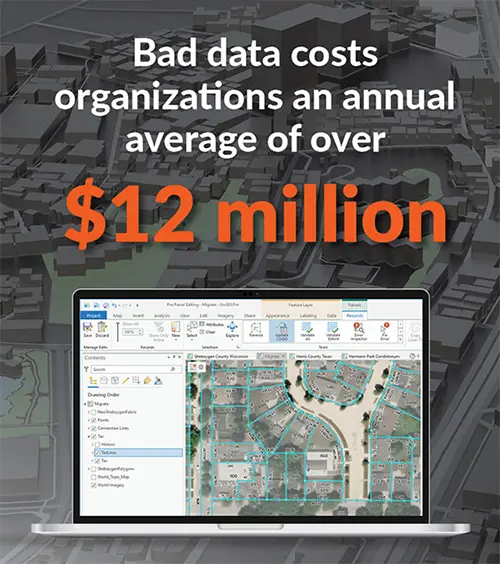
At Chetu, we combine technical expertise with business intelligence to help clients leverage ArcGIS Pro workflows for improved project quality, streamlined operations, and reduced data-related costs. Gartner reports that bad data costs organizations over $12 million annually—a challenge that can be minimized through ArcGIS Pro automation and advanced analytics.
Automation tools within ArcGIS Pro proactively identify data anomalies, helping teams make faster, more accurate decisions. With Jupyter Notebooks, users can automate complex processes, visualize spatial data, and collaborate seamlessly—all within one integrated environment. Our certified ArcGIS developers utilize predictive analytics and AI-driven solutions to deliver scalable, high-performance GIS workflows that keep your organization at the forefront of innovation.
Our GISEvolve Framework delivers a structured and reliable ArcGIS Pro migration approach designed for minimal disruption and maximum efficiency. Migration begins with defining objectives, reviewing current systems, and preparing data for transition. We then proceed with configuration, deployment, testing, and end-user training—ensuring a smooth and seamless GIS migration process.
Post-deployment, we continue to provide monitoring, maintenance, and long-term support for sustained success. Experience how our GISEvolve Framework can simplify your migration journey and optimize your ArcGIS Pro environment for long-term performance and scalability.
In addition, the framework involves regular monitoring, maintenance, support, and managing systems that are already in use, guaranteeing lasting post-migration success. Experience all that the GISEvolve Framework brings by checking out the full set of proprietary guides to enhance your ArcGIS Pro workflows.
Produced and Edited by: Sneha Kushwaha
Disclaimer:
This content has been made available for information purposes only. Views and opinions expressed in this content are those of the individual author only and do not necessarily represent the opinions and views of Chetu. Chetu, and its representatives, make no representation or warranty of any kind, express or implied, regarding the accuracy, adequacy, validity, reliability, availability, or completeness of any information of this content. Under no circumstances shall Chetu, or its representatives, have any liability to you or any loss or damage of any kind incurred as a result of the use of this content or reliance on any information provided in this content. Your use of this website and your reliance on any information on this content is solely at your own risk.
About Chetu:
Founded in 2000, Chetu empowers businesses with AI and digital transformation solutions, supporting startups, SMBs, and Fortune 5000 companies. We deliver end-to-end software solutions backed by global digital intelligence and industry expertise. Our customized software delivery model and one-stop-shop approach span the full technology spectrum. Headquartered in Sunrise, Florida, Chetu operates 13 locations across the U.S., Europe, and Asia.
See more at: Chetu Blogs
Share


Limited Time Offer for a Free E-Book
Privacy Policy | Legal Policy | Careers | Sitemap | Referral | Contact Us
Copyright © 2000- 2026 Chetu Inc. All Rights Reserved.